
DEPLOYMENT / OFFLINE EVALUATION
Your service desk.
On your infrastructure.
One Ticket Less connects IT tickets, configurable approvals, technician routing and asset custody. The on-premise appliance keeps the application and PostgreSQL database on the infrastructure your company operates.
Product information reviewed 6 November 2026 · Cipherstacks
A VMware / ESXi evaluation appliance, an installation-bound signed licence and a seven-day trial. Native ESXi 8.0.3 acceptance was tested. Other host platforms need their own compatibility review; a disk conversion alone is not proof of compatibility.
Request a 7-day offline trial ↗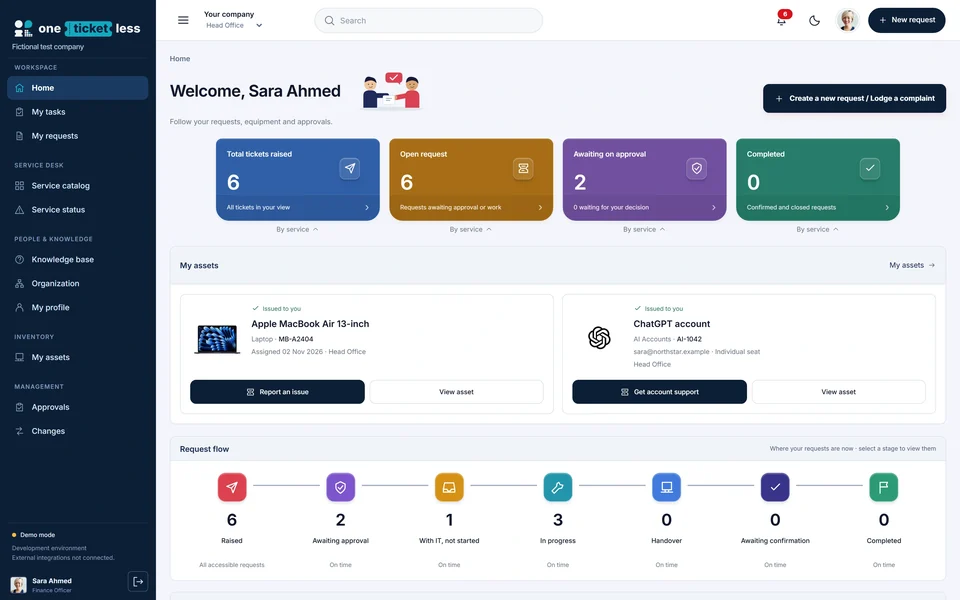
Choose hosted or on-premise ITSM
Hosted company workspace
Access your company’s portal in a browser. Tenant workspaces have separate databases and files. Agree access, service scope and support arrangements with the One Ticket Less team.
Open the online demo →Customer-managed appliance
Your IT team imports the VM, manages local networking and certificates, and owns backup and recovery operations. Signed-file licensing supports an installation without ongoing internet validation.
How the offline trial works
Request an evaluation
Provide your company, contact email, employee count and virtual platform. Do not include credentials or confidential records. The vendor reviews compatibility before approving delivery.
Receive a private appliance download
An approved request receives a private, expiring link. It supports resumable downloads. Compare the downloaded appliance’s SHA-256 checksum with the release supplied by the vendor.
Import and configure the virtual machine
Import the OVA into VMware / ESXi and select the appropriate VM network. Size CPU, memory and storage for your employee count, ticket volume, attachments and retention needs; agree these requirements during evaluation. Reserve a stable address before onboarding users.
Create your installation’s owner
Open the appliance address shown after boot. Use the one-time owner setup key from the VM console, then enter the company identity, initial site, administrator account and timezone. Protect and change setup credentials before shared use.
Request and import the signed trial licence
Export the installation request and supply it to the vendor. The vendor signs a licence for that installation and technician allowance. Import the returned licence under Administration → Licensing. An unrelated installation’s licence will not activate your VM.
Test your actual company policy
Configure locations, departments, service catalogues, request forms, approval stages and assignment policies. Use separate employee, approver and technician accounts to test normal requests, replacement equipment, exceptions and recorded returns. Test backup and restoration before wider rollout.
What expires after seven days?
The evaluation licence expires seven days after signing, with no grace period. Download access expires independently. A paid licence or technician-quota upgrade is issued for the same installation and imported through Administration → Licensing; no reinstall or internet activation is required.
Retain your company’s backup and export procedures. Licence restrictions are not a backup strategy. A fully offline VM controlled by a privileged host administrator cannot provide an absolute guarantee against snapshot rollback or software modification.
Who manages security and data?
The appliance uses PostgreSQL and does not include endpoint agents. Your company manages the host, network access, HTTPS certificate, backups, retention and user access policies. Enable MFA according to your organisation’s policy and agree how updates will be transferred into an isolated network.
This page does not claim ISO certification, zero vulnerabilities or universal hypervisor compatibility. Ask for the release notes, known limitations and an environment-specific acceptance check before production use.
Useful evaluation scenarios
Bring one real process to the evaluation.
We can help you compare its request form, approval preview, assignment and completion steps with the policy your company actually uses.
Request offline trial ↗ Talk to sales