
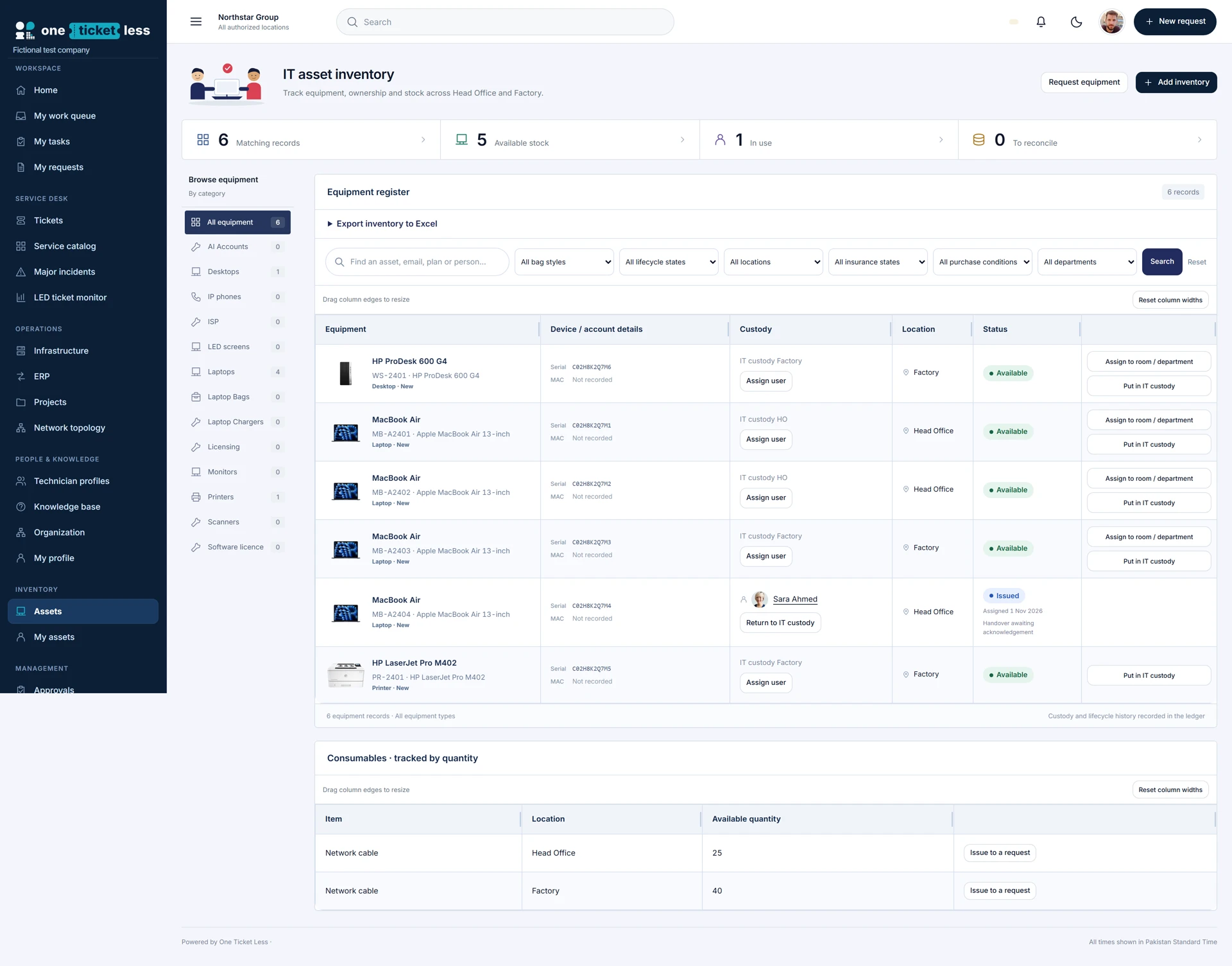
Know what exists and who holds it
Maintain an inventory of equipment and account records with the information relevant to each type. Track an asset’s location and distinguish available IT stock, employee-issued equipment and shared room or department custody. A named record is more useful than an inventory count without an accountable owner.
Issue equipment through a recorded process
For an approved equipment request, identify the actual device and record its issue. Keep the request, recipient and asset record connected so a technician can see what was supplied. Configure new-hire requests with the information needed to prepare equipment before the employee starts.
Handle replacement and resignation correctly
For a replacement, record the old asset’s return reason and condition as well as the newly issued device. Faulty, dead or scrapped equipment should not appear as available stock. For resignation, confirm what physically returned and retain accountability for anything still outstanding.
Records are not endpoint management
Inventory and custody records describe what the company has and who holds it. Live device telemetry depends on a configured, supported integration or enrolled agent; an inventory entry alone does not provide live health data. Ask about the available agent and integration scope during evaluation.
Plan a reliable inventory rollout
Start with a representative set of laptops, shared equipment and account records. Reconcile imported records, resolve duplicate identifiers and validate location names. Test issue, return and retirement with separate authorized users before migrating the rest of the inventory.